Trade Journaling Just Got Better
Trade journaling just got faster, smoother, and more personal across every device. It’s still your free trading journal, now optimised to help you track your trades and improve your profitability. Whether you use it as a trade diary or a full trading performance tracker there is something for you in this latest update. To dive deeper into the new features, check out our feature page. Here's what’s now live:
Journal Editor: Add Endless Notes
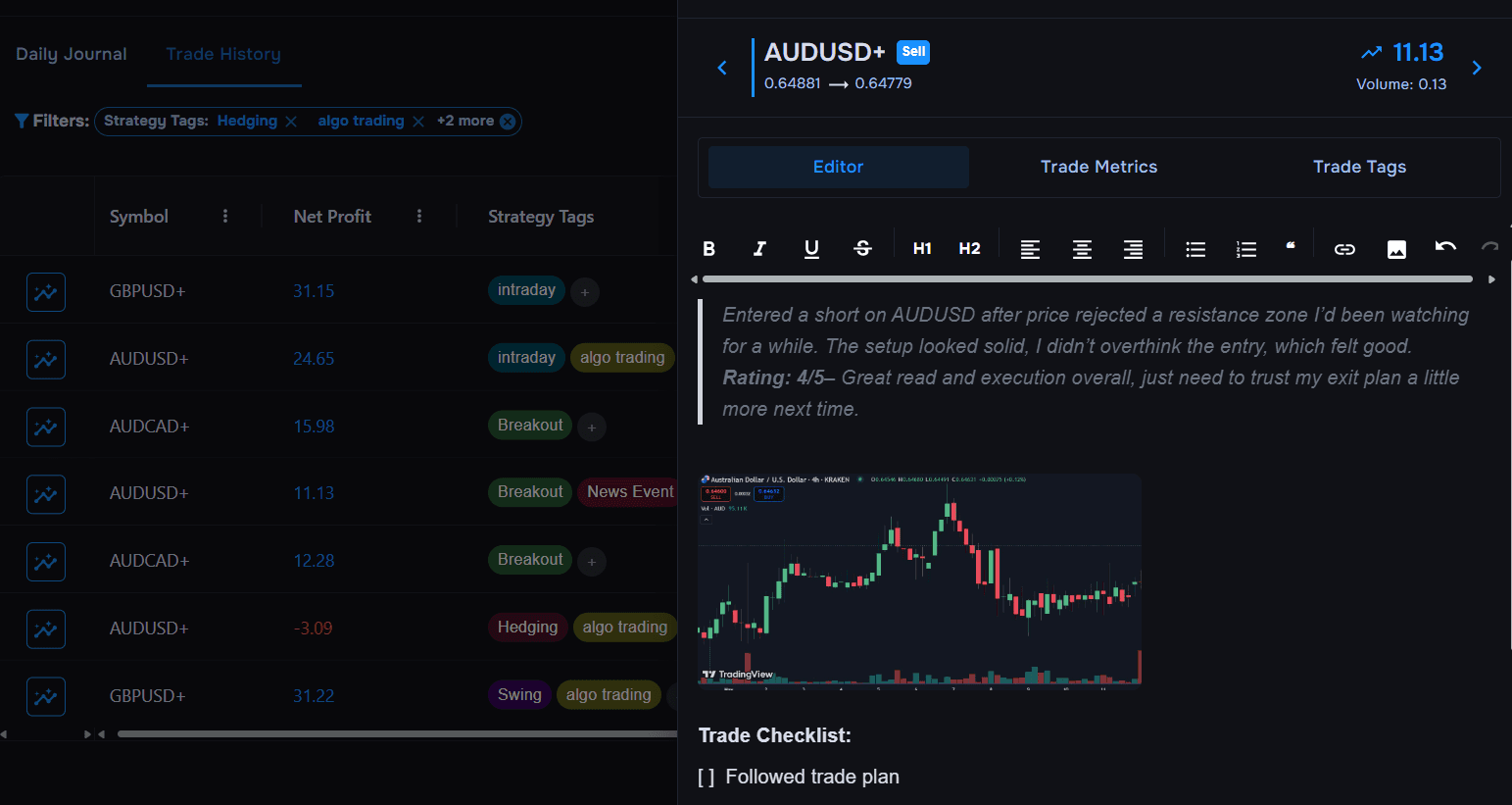
You can write in as much detail as you want about how your trade went, set-up, strategy, you name it! Whether you're breaking down a trade or reflecting on the entire day, you can easily document your trading performance.
There are two ways to journal:
– Trade Notes let you select a specific trade from the trade log and add detailed comments.
– Daily Notes are best for reflecting on your overall trading day e.g. notes on your trade plan, market conditions, or trading psychology.
You don’t have to worry about character limits cutting you off mid thought. Your notes are kept safe with our auto-save feature. When you are not using it, you can hide the Journal Editor for a cleaner view of your performance metrics. Can’t remember which day you wrote a daily note? Just check the PnL calendar, there is now a small pencil icon appears any day you've journaled.
There are two ways to journal:
– Trade Notes let you select a specific trade from the trade log and add detailed comments.
– Daily Notes are best for reflecting on your overall trading day e.g. notes on your trade plan, market conditions, or trading psychology.
You don’t have to worry about character limits cutting you off mid thought. Your notes are kept safe with our auto-save feature. When you are not using it, you can hide the Journal Editor for a cleaner view of your performance metrics. Can’t remember which day you wrote a daily note? Just check the PnL calendar, there is now a small pencil icon appears any day you've journaled.
Upload Unlimited Screenshots
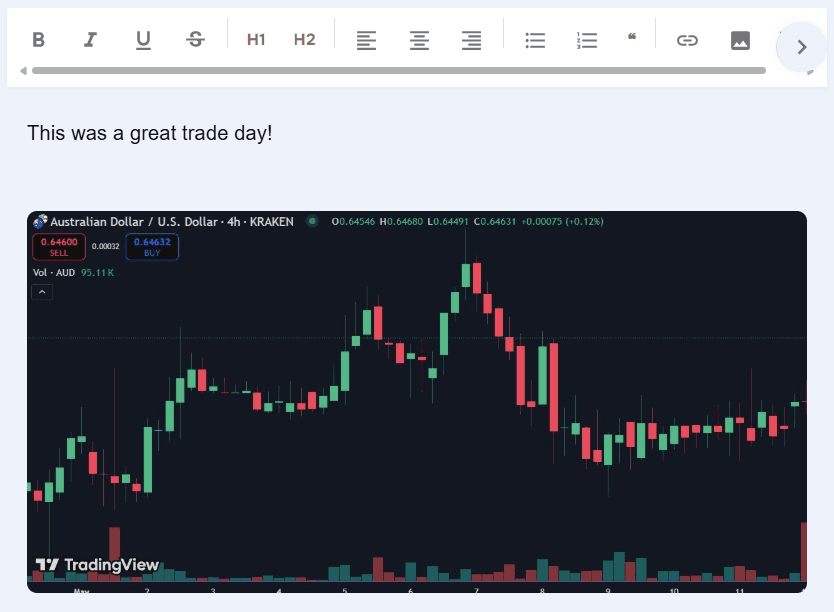
Attach as many screenshots as you need for each trade or trade day. Whether it’s chart setups, broker fills, or daily summaries they can all be add right alongside your trade notes.
Trade Metrics
To keep your concentration in one place, we have added the key metrics you need right in the Trade journal. These built-in trade analysis tools make it easier to spot what’s working and refine your strategy without switching tabs.
Optimised for Mobile
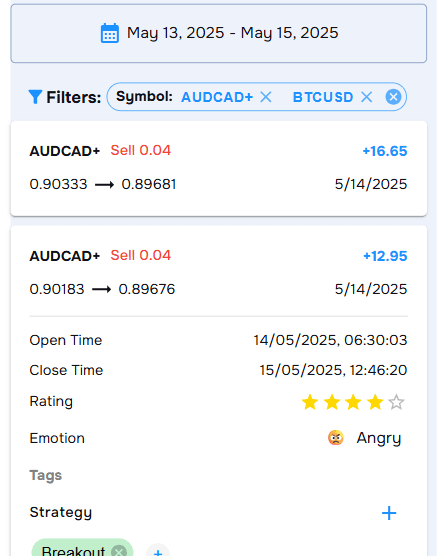
With more people trading from their phones, it was only right to ditch our old table view on mobile and opt for something more streamlined. Now, there is an expandable trade view where you can edit tags, review metrics, and write notes.
You can still access the trade journal editor on the go, simply select ‘Details’ and you will have access to the trade metrics, note taking, and tags. No more pinching, scrolling, or fighting with tables on your phone.
Why Have We Upgraded?
We know journaling can sometimes feel like a chore but, with these updates TraderWaves helps you log faster, review more clearly, and stay consistent. Whether you're at your desk or on the move it’s easier now to capture not just your trades but your trading psychology too all in one place.
In a Rush? Here’s the TLDR of what's changed
Before:
– No way to add trade notes or screenshots
– Mobile layout was hard to use
– Key performance metrics restricted to the dashboard
– Mouse-only navigation through tabs
Now:
– Unlimited notes and screenshots
– Streamlined mobile view
– In-built metrics so you can reflect and analyse in one place
– Arrow key navigation for faster review
– No way to add trade notes or screenshots
– Mobile layout was hard to use
– Key performance metrics restricted to the dashboard
– Mouse-only navigation through tabs
Now:
– Unlimited notes and screenshots
– Streamlined mobile view
– In-built metrics so you can reflect and analyse in one place
– Arrow key navigation for faster review
Ready to Try It?
All updates are live now. Head to your dashboard or register here to discover the power of our online trade journal.
Is TraderWaves still a free trade journal?
Yes! All the new features are free and available to everyone. No paid subscription. No usage caps. No locked features.
Where do I find the new Journal Editor?
Head to your Journal tab and click into any trade and select the blue progress icon and the editor panel will open.
What’s the difference between Trade Notes and Daily Notes?
Trade Notes are for comments on individual trades. Daily Notes are for reflecting on the trading day as a whole with comments on mindset, goals, wins, or lessons.
Can I use this on mobile?
Yes! The journal is fully mobile-optimized now. You can view trade metrics, add tags, and write notes from your phone.
What performance stats are shown in the journal?
You’ll see stats like net profit, gross profit, percent gain, commission, swap, and open/close prices for each trade.
Ready to journal?
Start Tracking Your Trades Today
Sign up now and access advanced trade journaling tools for free.
Start Free: No Credit Card